下载镜像
从官网下载镜像
http://salia.echarge.de/firmware/
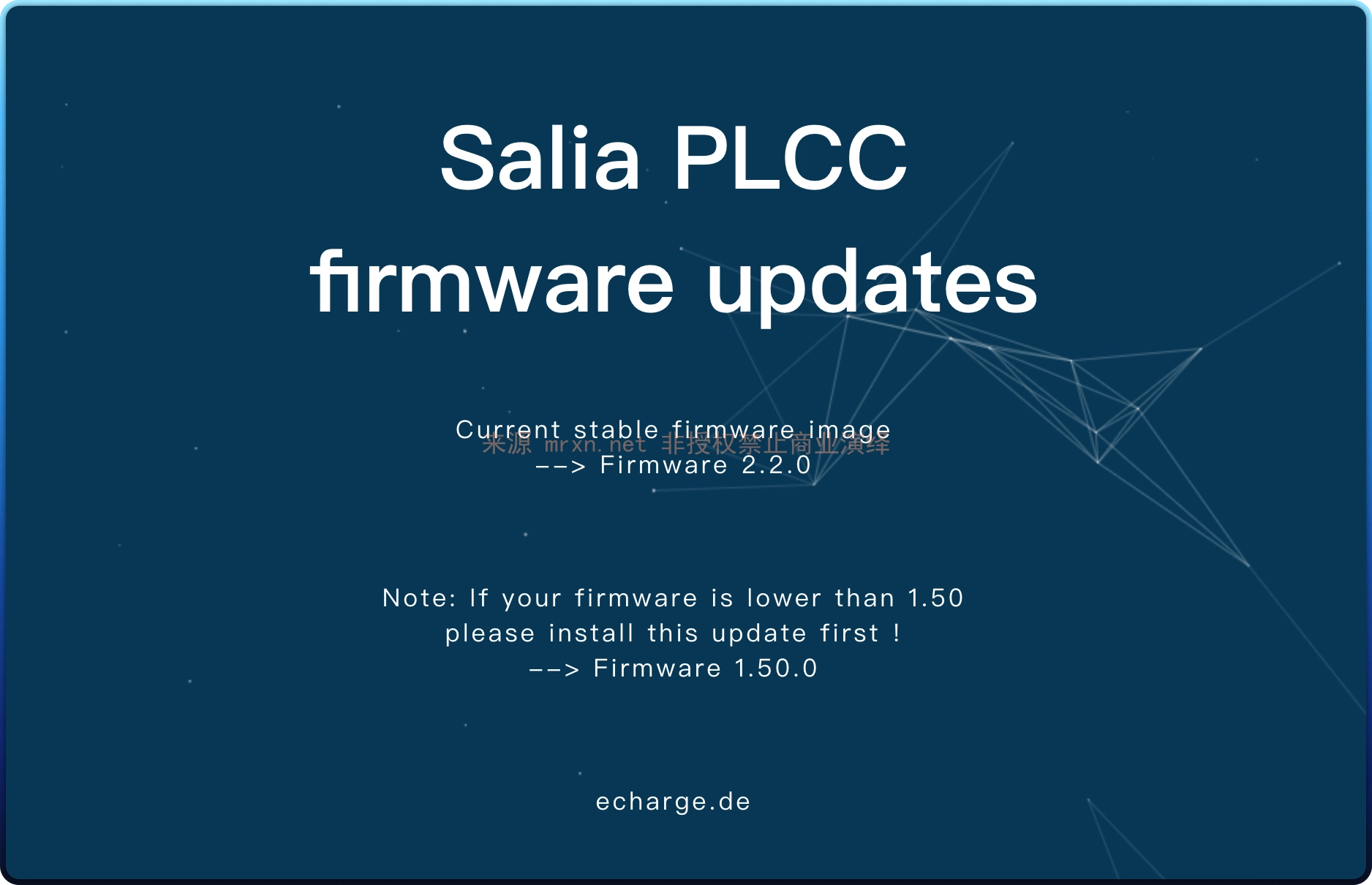
目前可以下载 1.50.0 以及 2.2.0 两个版本的镜像
http://salia.echarge.de/firmware/firmware_2.2.0.image
http://salia.echarge.de/firmware/firmware_1.50.0.image
剥离镜像
对下载下来的镜像使用 binwalk 的 -e 参数对镜像进行解压剥离
# binwalk -e firmware_1.50.0.image
DECIMAL       HEXADECIMAL     DESCRIPTION
--------------------------------------------------------------------------------
0             0x0             Squashfs filesystem, little endian, version 4.0, compression:gzip, size: 65128626 bytes, 18 inodes, blocksize: 131072 bytes, created: 2021-10-15 17:56:28
65130496      0x3E1D000       Object signature in DER format (PKCS header length: 4, sequence length: 2439
65130554      0x3E1D03A       Certificate in DER format (x509 v3), header length: 4, sequence length: 1466
得到解压后的 ext4 文件系统镜像文件 file _firmware_1.50.0.image.extracted/squashfs-root/core-image-minimal-tarragon.ext4
提取源码
主要就是 创建一个挂载点目录后直接挂载上面得到 ext4 文件系统镜像文件
sudo mkdir /mnt/ext4image
sudo mount -o loop _firmware_1.50.0.image.extracted/squashfs-root/core-image-minimal-tarragon.ext4 /mnt/ext4image
cd /mnt/ext4image
# 访问文件后 卸载
sudo umount /mnt/ext4image
然后再进入目录即可 得到完整的系统文件
总计 39
drwxr-xr-x  2 root root  3072 2022-02-03 21:27 bin
drwxr-xr-x  2 root root  1024 2022-02-03 21:27 boot
drwxr-xr-x  2 root root  1024 2021-11-30 17:50 dev
drwxr-xr-x 40 root root  3072 2021-10-16 01:55 etc
drwxr-xr-x  3 root root  1024 2022-02-03 21:26 home
drwxr-xr-x  9 root root  4096 2021-10-16 02:12 lib
drwx------  2 root root 12288 2022-02-03 21:28 lost+found
drwxr-xr-x  2 root root  1024 2021-11-30 17:50 media
drwxr-xr-x  2 root root  1024 2021-11-30 17:50 mnt
dr-xr-xr-x  2 root root  1024 2021-11-30 17:50 proc
drwxr-xr-x  2 root root  1024 2021-11-30 17:50 run
drwxr-xr-x  2 root root  3072 2021-10-16 02:10 sbin
dr-xr-xr-x  2 root root  1024 2021-11-30 17:50 sys
drwxrwxrwt  2 root root  1024 2021-11-30 17:50 tmp
drwxr-xr-x 11 root root  1024 2022-02-03 21:27 usr
drwxr-xr-x 10 root root  1024 2021-10-16 02:10 var
drwxrwxrwx 24 root root  3072 2021-10-16 01:47 www